

One connected review loop
A learning loop connected to every execution
Start with captured facts, add the context only you can provide, then compare repeated conditions before choosing the next review focus.
- 01Capture
Import the execution, timing, and account context.
- 02Explain
Record the thesis, setup, feeling, and decision quality.
- 03Compare
Filter by playbook, session, instrument, or rule adherence.
- 04Improve
Commit to one observable adjustment for the next cycle.
Six review lenses
Keep the evidence close to the question you are asking.
Switch between summary, execution, attribution, time, risk, and process views without losing the selected review context.
Review baseline
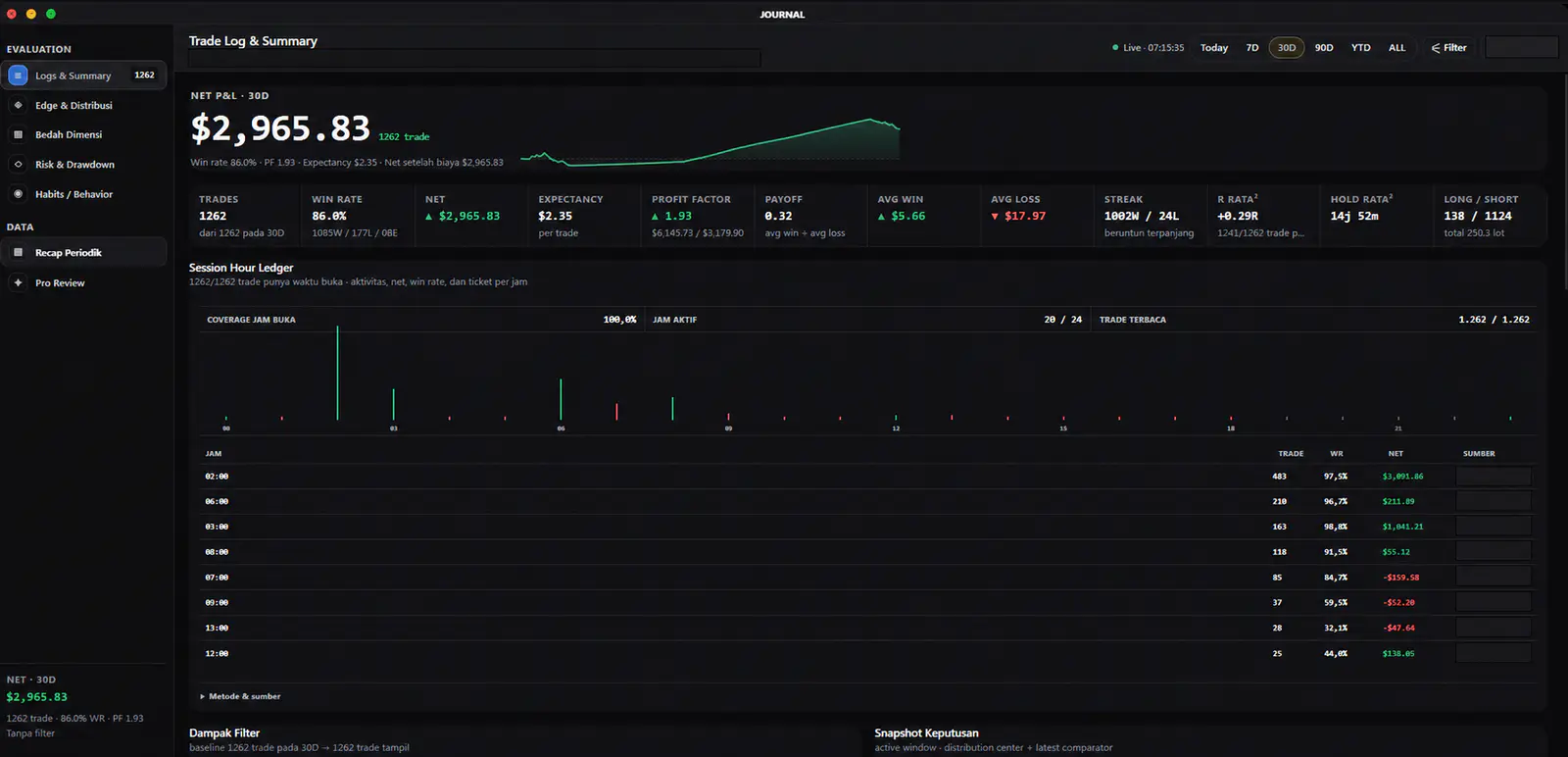
Begin with the window, coverage, and session ledger.
The summary keeps the selected period, outcome context, and active trading hours together so the review starts from the same evidence base.
- Read the selected review window before interpreting a result.
- Compare session-hour coverage and the rows behind each time bucket.
- Keep the headline rail connected to the underlying ledger.
Screens show sanitized illustrative interface data. They are not advice, a forecast, or a representation of results available to any user.
Review chapters
Move from execution detail into timing and process context.
Each chapter keeps its explanation, evidence, and capability labels in one consistent card instead of presenting a detached gallery.
Execution ledger
Move from a total into the executions that formed it.
A structured ledger keeps direction, timing, risk fields, duration, and outcome visible without treating any single row as a prediction.
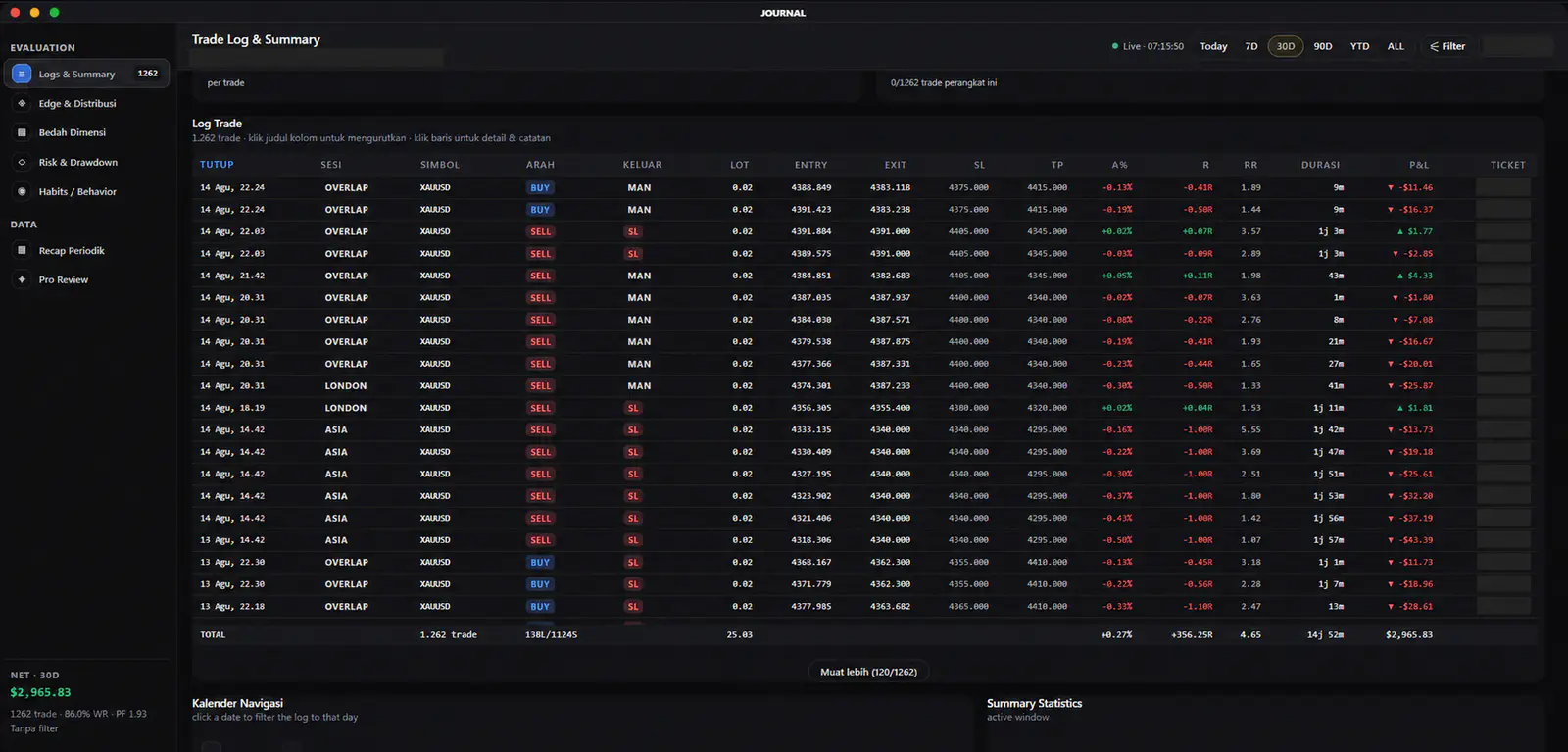 Sortable ledgerRisk fieldsDuration context
Time dimensions
See when activity clusters and how long positions remain open.
Hourly outcomes, holding-duration buckets, and the day-by-hour map add temporal context that a flat result cannot provide on its own.
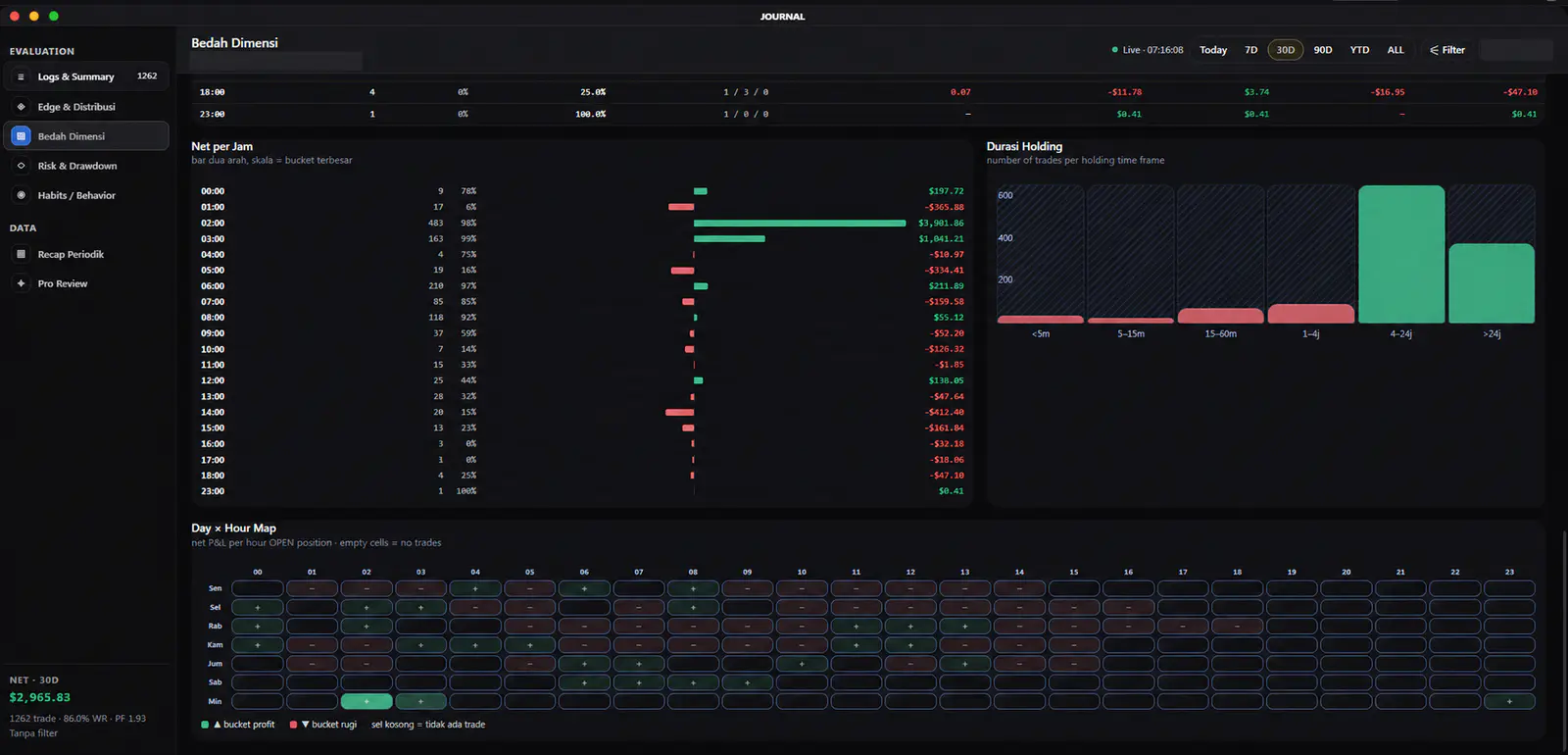 Hourly viewHolding bucketsDay × hour map
Process review
Turn captured fields and local notes into review prompts.
Coverage indicators show what the record can support, while setup and mistake tags stay tied to user-entered evidence rather than diagnosis.
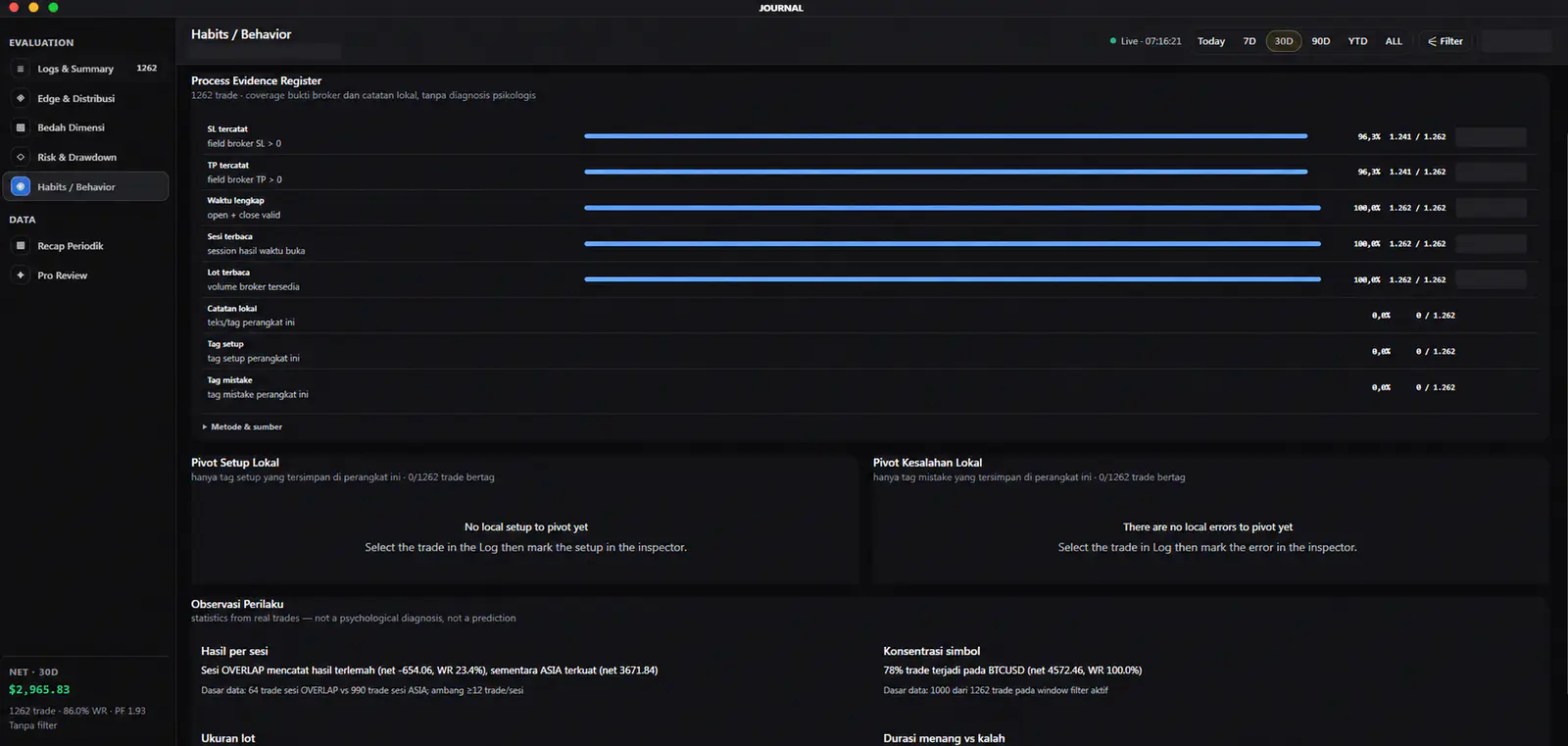 Coverage registerLocal tagsReview prompts
Kinetic Family workspace