

A visible decision pipeline
Automation with visible gates, not blind forwarding
A supported message moves through defined stages. Each stage can continue, pause, or stop according to configuration; none removes market, platform, broker, or execution risk.
- 01Receive
Accept a message from the Telegram input selected by the user.
- 02Normalize
Map a defined message shape into symbol, direction, entry, stop, and target fields.
- 03Check
Evaluate completeness, duplication, policy, connection context, and user-defined limits.
- 04Route and record
Continue, pause, or skip according to configuration and preserve the event reason for review.
Four workflow domains
Inspect configuration, queue state, safeguards, and history in context.
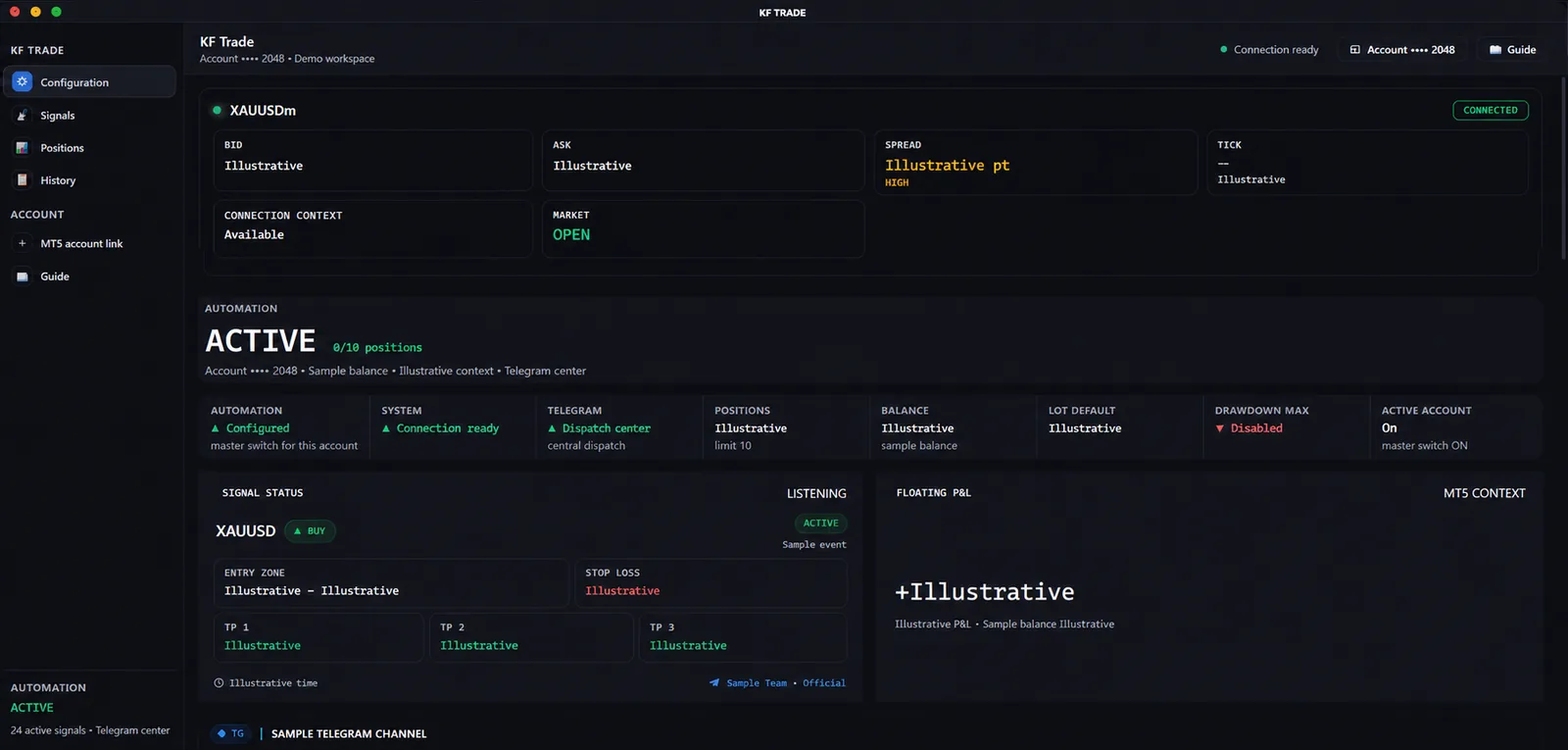
Switch views to see how a structured Telegram input becomes normalized fields, how policy stays visible, and how route reasons remain reviewable.
Configuration boundary
Make every connection and automation boundary explicit.
The control view keeps the configured Telegram input, MT5 connection context, position policy, and user-controlled automation state together before an instruction can move further.
- Review the selected message input and connection context before enabling a workflow.
- Keep the position cap and other user-defined limits visible beside the automation state.
- Treat MT5 availability and execution as dependent on user and broker configuration.
The previews contain privacy-sanitized, illustrative interface data. They are not reported trading results, returns, advice, forecasts, or guarantees, and they do not show a current user connection.
Operational boundaries
Know what the workflow structures—and what it cannot decide for you.
Each card keeps the capability, boundary, and supporting labels together so the product remains understandable without a performance claim.
Input boundary
Telegram messages remain an input, not advice.
Kinetic can structure a supported message format, but the message origin, meaning, suitability, and decision to use it remain outside any profit promise.
Defined formatSelected inputValidation stateExecution context
MT5 routing stays dependent on user and broker configuration.
Connection state, permissions, symbols, market conditions, broker rules, and platform behavior can change what is accepted, rejected, delayed, or filled.
Scoped connectionUser policyRoute reasonOperational review
History explains workflow events without promising outcomes.
Received, checked, routed, followed, and skipped states create a review trail for configured behavior; they do not prove future availability or trading performance.
Event categoriesMasked referencesExport context
Kinetic Family workspace